


Table of Contents
- Do Magnetic Walls Interfere With WiFi?
- How WiFi Signals Travel Through Your Space
- Magnetic Fields vs. Electromagnetic Waves
- Materials That Block WiFi Signals
- Why Magnetic Wallcoverings Don't Block WiFi
- How to Boost WiFi Signal Through Walls
- Best Practices for Router Placement With Magnetic Walls
- Conclusion
- Frequently Asked Questions
Last Updated: August 14, 2026
Do Magnetic Walls Interfere With WiFi?
The short answer is no. Magnetic walls do not interfere with WiFi signals. This is a common misconception that conflates two entirely different physical phenomena: magnetism and electromagnetic radiation. A magnetic field is static, while radio frequency waves are electromagnetic radiation oscillating at billions of cycles per second. One doesn't interfere with the other. What actually matters for WiFi performance is whether materials absorb or reflect radio waves, which depends on their conductive properties and density, not their magnetic characteristics. At MagScapes, we've worked extensively with facilities managers, educators, and healthcare administrators who share this concern before installing magnetic wallcoverings. The evidence is clear: magnetic properties have no bearing on radio frequency transmission.
How WiFi Signals Travel Through Your Space
WiFi operates using radio waves transmitted at specific frequencies: primarily 2.4GHz and 5GHz bands. These electromagnetic waves radiate outward from your router's antenna in three-dimensional patterns, bouncing off surfaces, passing through materials, and reaching devices throughout your space.
Multipath propagation occurs when signals reflect off walls, ceilings, floors, and furniture before reaching your device. Some reflections strengthen the signal; others cause destructive interference that weakens it. Signal attenuation, the weakening of radio waves as they travel, happens through two primary mechanisms: absorption and reflection. The degree to which this occurs depends entirely on the material's electrical conductivity and density, not on whether it's magnetic.
Your router's antenna gain and placement determine how effectively signals propagate initially. A well-positioned router mounted at a central height, away from metal obstructions and with clear line of sight to key areas, will deliver stronger throughput and lower latency across your space.
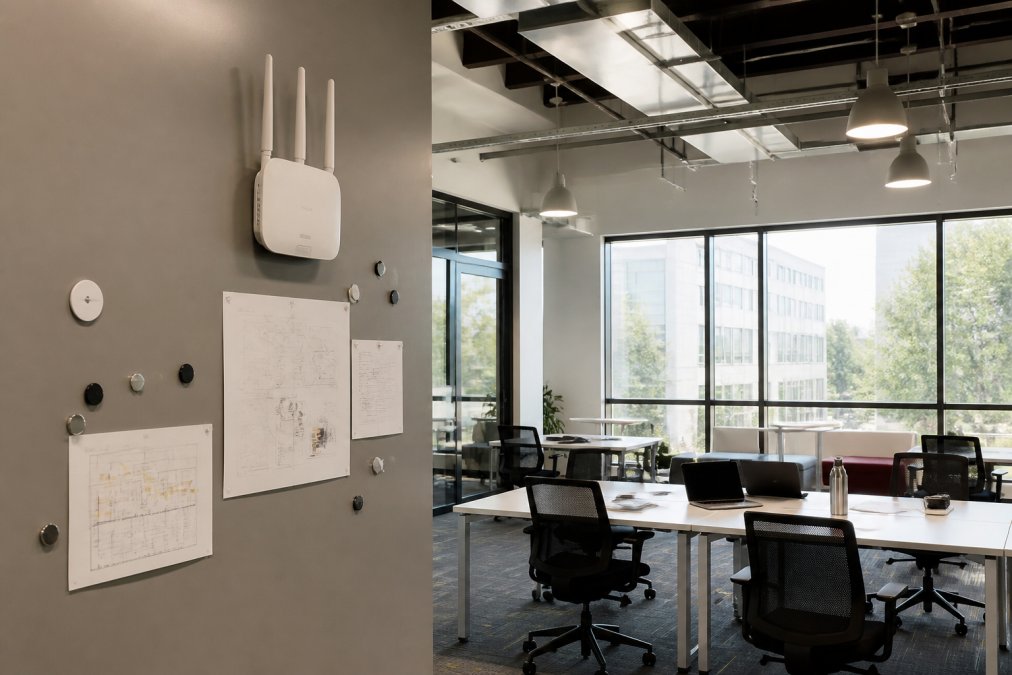
Magnetic Fields vs. Electromagnetic Waves
A magnetic field is a static force generated by moving electrical charges or permanent magnets. Electromagnetic waves, by contrast, are oscillating electric and magnetic fields that travel at the speed of light, carrying information across distances. WiFi uses electromagnetic waves; your magnetic wallcovering generates a static magnetic field. These operate on entirely different principles and don't interact in ways that degrade signal quality.
A magnetic field has no mechanism to absorb or reflect radio frequency energy. Radio waves interact with materials based on their electrical properties, specifically how easily electrons move through the material (conductivity). A material that's highly magnetic but electrically non-conductive won't affect WiFi at all. Conversely, a non-magnetic material like copper or aluminium will reflect radio waves because it's electrically conductive, regardless of its magnetic properties.
Magnetic wallcoverings are designed to hold metal objects through adhesion. The magnets embedded in these products are typically neodymium or ferrite magnets, both non-conductive. They generate static magnetic fields but don't interact with the oscillating electromagnetic fields of WiFi signals. The wallcovering material itself, usually a vinyl or fabric composite, is also non-conductive and won't absorb or reflect radio waves meaningfully.
Materials That Block WiFi Signals
Understanding what actually blocks WiFi requires knowing which materials are electrically conductive or dense enough to absorb radio waves.
Conductive materials reflect and absorb radio frequency energy efficiently. Metal surfaces, copper, aluminium, and steel are the most obvious examples. A metal sheet acts as a Faraday cage barrier, reflecting radio waves rather than allowing them to pass through.
Dense materials absorb radio wave energy through their molecular structure. Reinforced concrete, particularly with embedded rebar, is one of the worst offenders. Brick and masonry similarly absorb significant energy. Water is also surprisingly effective at absorption; an aquarium or water feature between your router and a device will noticeably reduce signal strength.
Non-conductive materials like wood, drywall, and standard glass allow radio waves to pass through with minimal attenuation. However, drywall with embedded metal studs or plumbing creates localized interference points.
Materials that block WiFi signal include metal studs, ducting, or structural elements; reinforced concrete and rebar; brick and masonry; water; certain insulation materials containing metallic foil; mirrors; and metal furniture. Magnetic wallcoverings don't appear on this list because they don't exhibit the electrical properties required to block signals.
Why Magnetic Wallcoverings Don't Block WiFi
Magnetic wallcoverings have been tested in diverse environments, offices, schools, hospitals, and homes, without producing measurable WiFi degradation. The reason is fundamental physics: magnetic properties don't interact with radio frequency transmission.
For magnetic wallcoverings to block WiFi, the material would need to either absorb the electromagnetic energy or reflect it back toward the source. Absorption requires electrical conductivity; reflection requires electrical conductivity or density. Magnetic wallcoverings possess neither property in sufficient degree to affect radio waves.
In healthcare settings, the distinction between magnetic interference and electromagnetic interference is critical. Some medical equipment is sensitive to magnetic fields, but that sensitivity is entirely separate from WiFi performance. A magnetic wallcovering won't interfere with WiFi routers, access points, or client devices.
Testing in real-world environments confirms this. Offices with magnetic wallcoverings installed show no change in WiFi throughput, latency, or signal strength measurements before and after installation. This practical evidence aligns with the theoretical understanding that magnetism and radio frequency transmission operate on different physical principles.
How to Boost WiFi Signal Through Walls
When signal degradation occurs in spaces with magnetic wallcoverings, the solution involves addressing the actual causes: placement, obstruction, and environmental factors.
Router placement is the single most important factor. Position your router at a central location, elevated above floor level, and away from metal obstructions. A router mounted on a magnetic wallcovering at desk height in a central area will outperform one hidden in a corner cabinet. Mounting at 1.5 to 2 metres above floor level is ideal for most environments.
Remove or relocate conductive obstructions. Metal filing cabinets, steel shelving, and structural metal studs between your router and dead zones will degrade signal. Metal ductwork carrying HVAC systems is a common culprit in commercial spaces.
Minimize distance and obstructions in the signal path. The 2.4GHz band propagates further than 5GHz but is more susceptible to interference. The 5GHz band offers higher throughput but shorter range. For larger spaces, using both bands allows devices to connect to whichever offers better performance.
Consider mesh networking for larger spaces. A mesh network uses multiple access points that communicate with each other, extending coverage without requiring a single point of transmission. Each mesh node acts as both a receiver and transmitter, creating redundant pathways for signal propagation.
Throughput and latency improvements from proper placement often exceed 50 percent compared to poorly positioned routers.
Best Practices for Router Placement With Magnetic Walls
Installing a router on or near a magnetic wallcovering requires no special precautions beyond standard best practices for router placement. The magnetic properties of the wallcovering won't degrade performance.
Mounting options on magnetic walls. Magnetic wallcoverings allow you to mount your router directly to the wall using magnetic brackets or adhesive mounts. This centralises the device and improves signal distribution. Ensure the mounting doesn't obstruct the antenna or create reflective surfaces immediately adjacent to it.
Cable management. Use magnetic clips or cable organizers to keep wires neat and away from the antenna. Organised cable management reduces visual clutter and ensures the router remains accessible for maintenance.
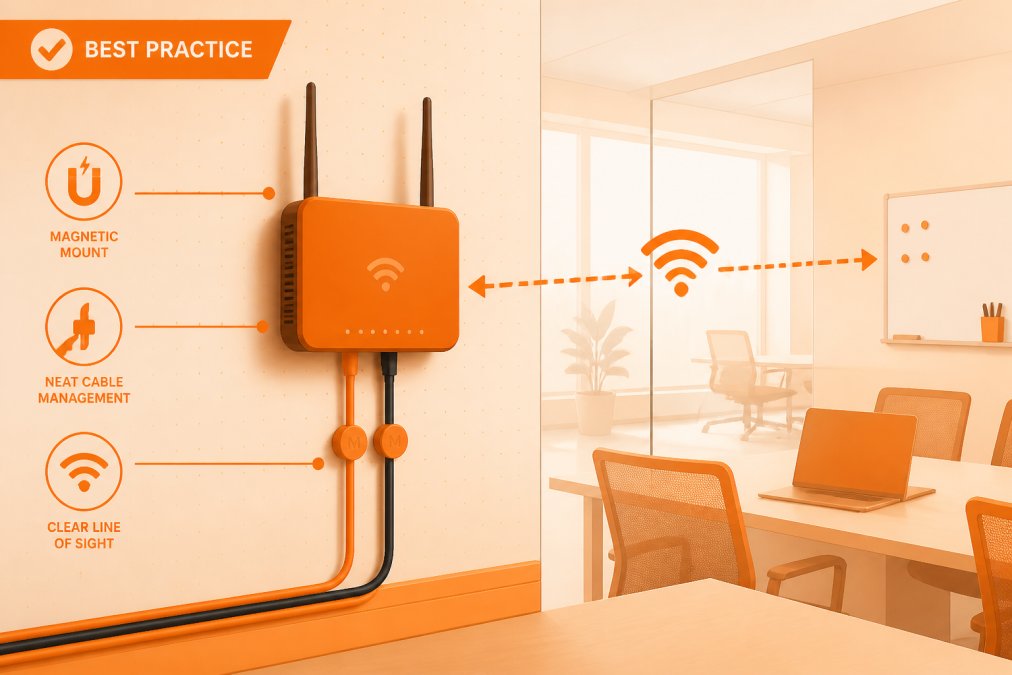
Antenna positioning. If your router has external antennas, orient them perpendicular to each other, one vertical and one horizontal, to optimize coverage in all directions. Avoid positioning antennas flat against a wall or metal surface.
Avoiding interference sources. Keep your router away from cordless phones, microwave ovens, and certain wireless speakers. The 2.4GHz band is particularly crowded, so minimizing competing signals improves performance.
Testing and optimization. After installation, use WiFi scanning tools to measure signal strength across your space. Many facilities managers use mobile apps to map signal strength before and after adjustments, ensuring optimal coverage. The advantage of magnetic wallcoverings is flexibility; if initial placement doesn't deliver ideal coverage, you can reposition the router easily using magnetic mounts.
Conclusion
Magnetic walls do not interfere with WiFi. The distinction between static magnetic fields and oscillating electromagnetic waves is fundamental to understanding wireless signal propagation. The materials that genuinely affect WiFi performance, conductive metals, dense concrete, water, operate through entirely different mechanisms than magnetic properties.
For facilities managers, educators, and healthcare administrators considering magnetic wallcoverings like those offered by MagScapes, WiFi compatibility is not a concern. The wallcoverings' non-conductive composition and static magnetic properties have zero impact on radio frequency transmission. In fact, magnetic wallcoverings enable superior router placement flexibility through magnetic mounting systems, often improving WiFi performance compared to traditional wall installations.
If you're experiencing WiFi dead zones in a space with magnetic walls, the solution lies in optimizing router placement, removing conductive obstructions, or implementing mesh networking, not in reconsidering the wallcovering choice. MagScapes magnetic wallcoverings transform static surfaces into collaborative, interactive environments without compromising network performance or infrastructure reliability.
Frequently Asked Questions
Can magnets disrupt Wi-Fi signals?
No. Magnets generate static magnetic fields, which operate on a completely different principle from WiFi's electromagnetic waves. WiFi uses radio frequency signals in the 2.4GHz and 5GHz bands. Magnetic fields do not interfere with these frequencies. Your router and wireless devices will function normally near magnetic walls or magnetic wallcoverings.
What materials that block WiFi signal should I be concerned about?
Metal, reinforced concrete, and brick are the primary materials that cause signal attenuation. Metal reflects radio frequency signals, creating dead zones. Thick concrete and brick walls absorb wireless signals through their density. Water-based materials like aquariums also absorb WiFi. Magnetic wallcoverings are non-metallic and do not block signals like these materials do.
How can I improve WiFi signal through walls in my office?
Position your router in a central, elevated location with clear line of sight to key areas. Use the 5GHz band for shorter distances with less obstruction, and 2.4GHz for longer range. Consider a mesh network to extend coverage. Avoid placing routers near metal objects or dense materials. Ensure your router's antenna is positioned vertically for optimal multipath propagation throughout your space.
Are magnetic walls safe near medical equipment or sensitive WiFi-dependent devices?
Yes. Magnetic wallcoverings produce only static magnetic fields and contain no electronic components that emit electromagnetic radiation. They do not interfere with WiFi routers, medical equipment, or IoT devices. Healthcare facilities and offices with sensitive equipment use magnetic solutions without connectivity issues. If you have concerns specific to your equipment, consult your IT team or equipment manufacturer.
This article was written using GrandRanker